The Unified and Autonomous Development Platform
Git, issues, pull requests, CI/CD, packages, wiki, and workspaces in one place. Assign work to AI users, review with them, and let them resolve merge conflicts and fix CI/CD failures.
Stay up to date
Get product updates, news, tutorials, and security notices
OneDev is by far the best tool I’ve used in my career as a software engineer. It allows my team and me to easily keep track of tasks and code, create in-depth reusable pipelines for our CI/CD, enforce (optional) role-based branch protection, provide highly-detailed code reviews for pull requests. And that’s just to name a few things. Huge thanks for creating something so awesome!Joshua Norman, Hassem Prag

🔎 Out-of-box code search and navigation
Language aware symbol search and navigation in any commit. Click symbol to show occurrences in current file. Fast code search with regular expression.
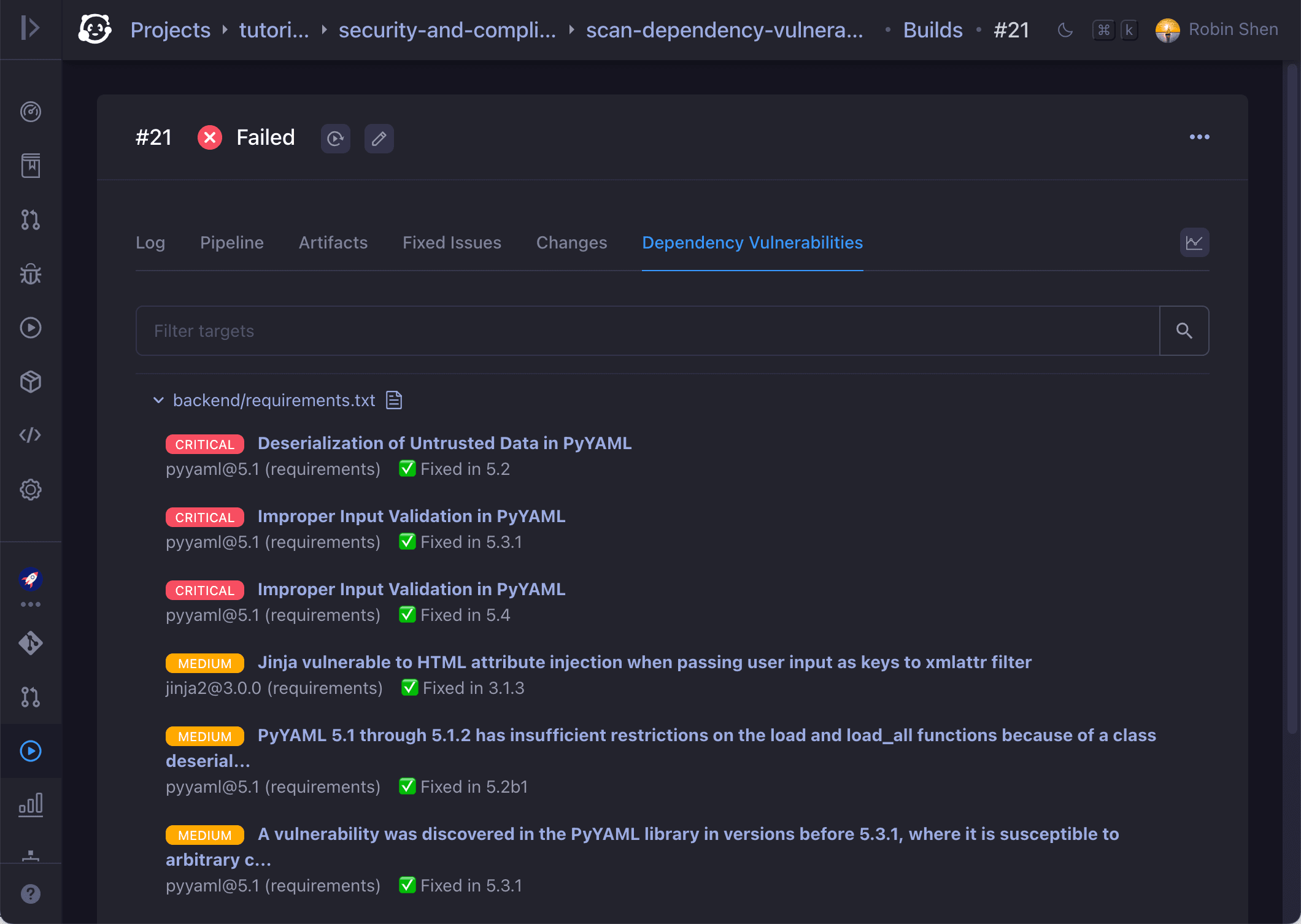
👮 Flexible security and compliance scan
Scan code dependencies, built binaries, or container images to find security vulnerabilities, license violations, or secret exposures.
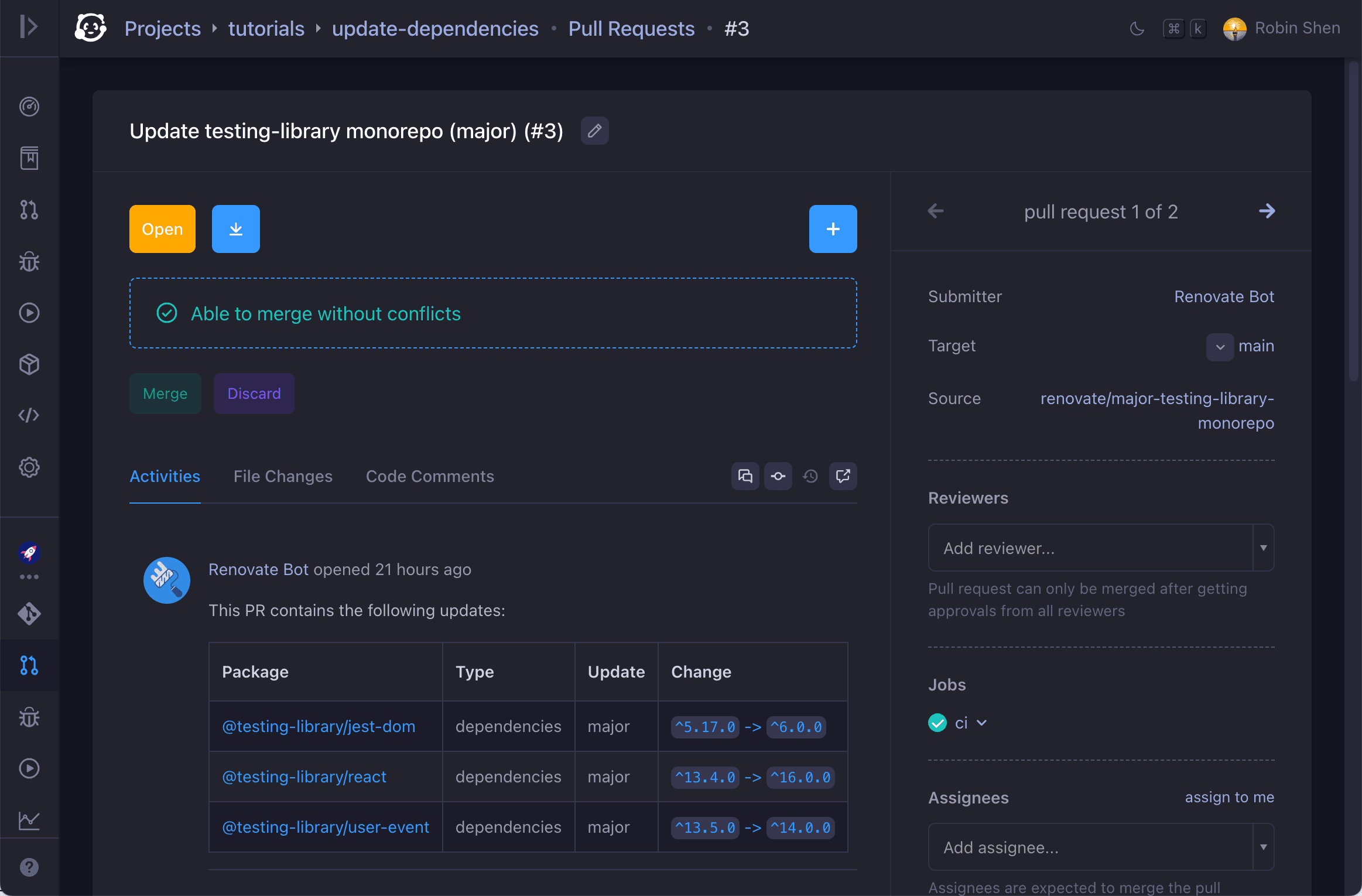
📦 Renovate integration to update project dependencies
Integrate with Renovate to update project dependencies via pull requests. Merge pull requests automatically when approved by required reviewers, or pass required tests.
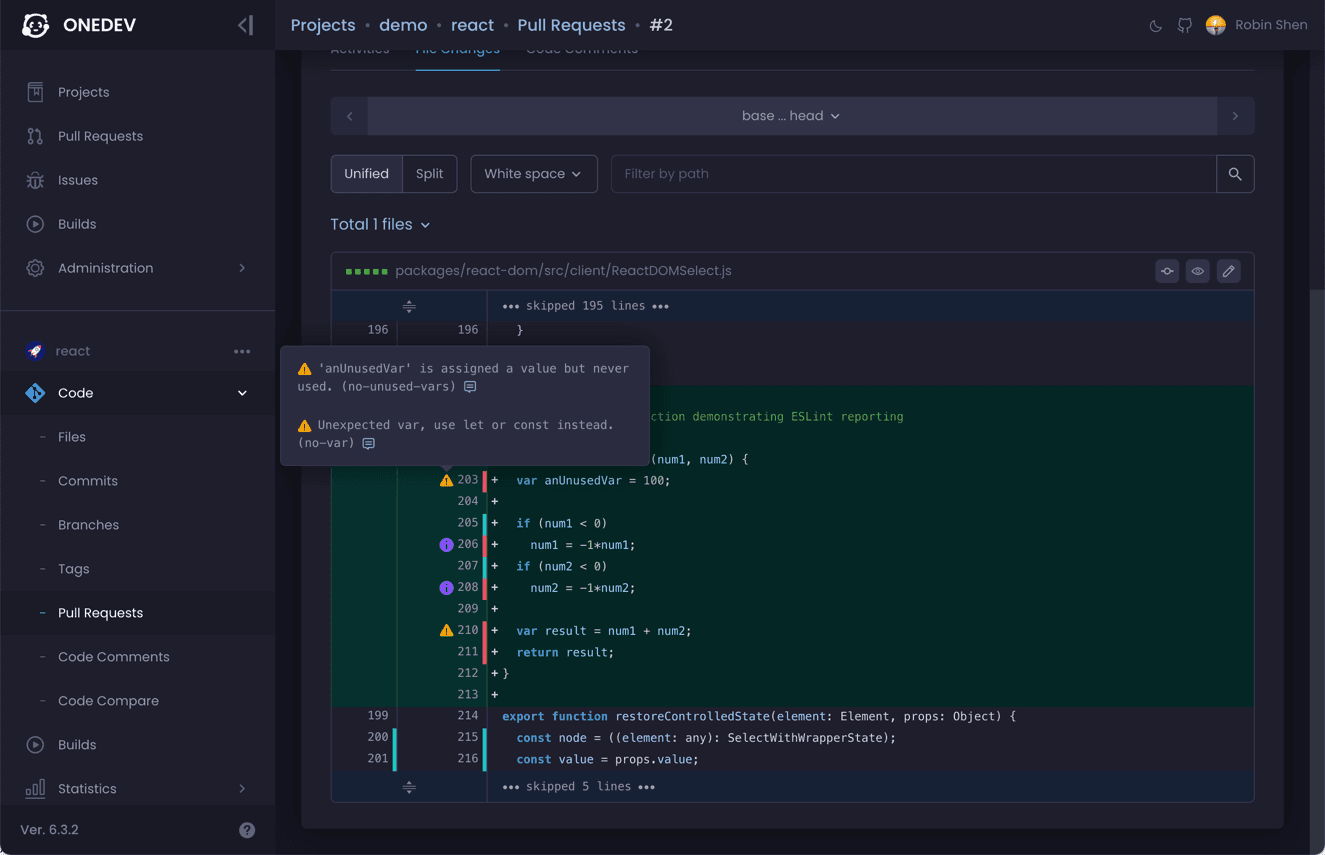
🚦 Annotate code with coverage and problems
Code will be annotated with coverage info and problems found in CI/CD pipeline, to facilitate code review.
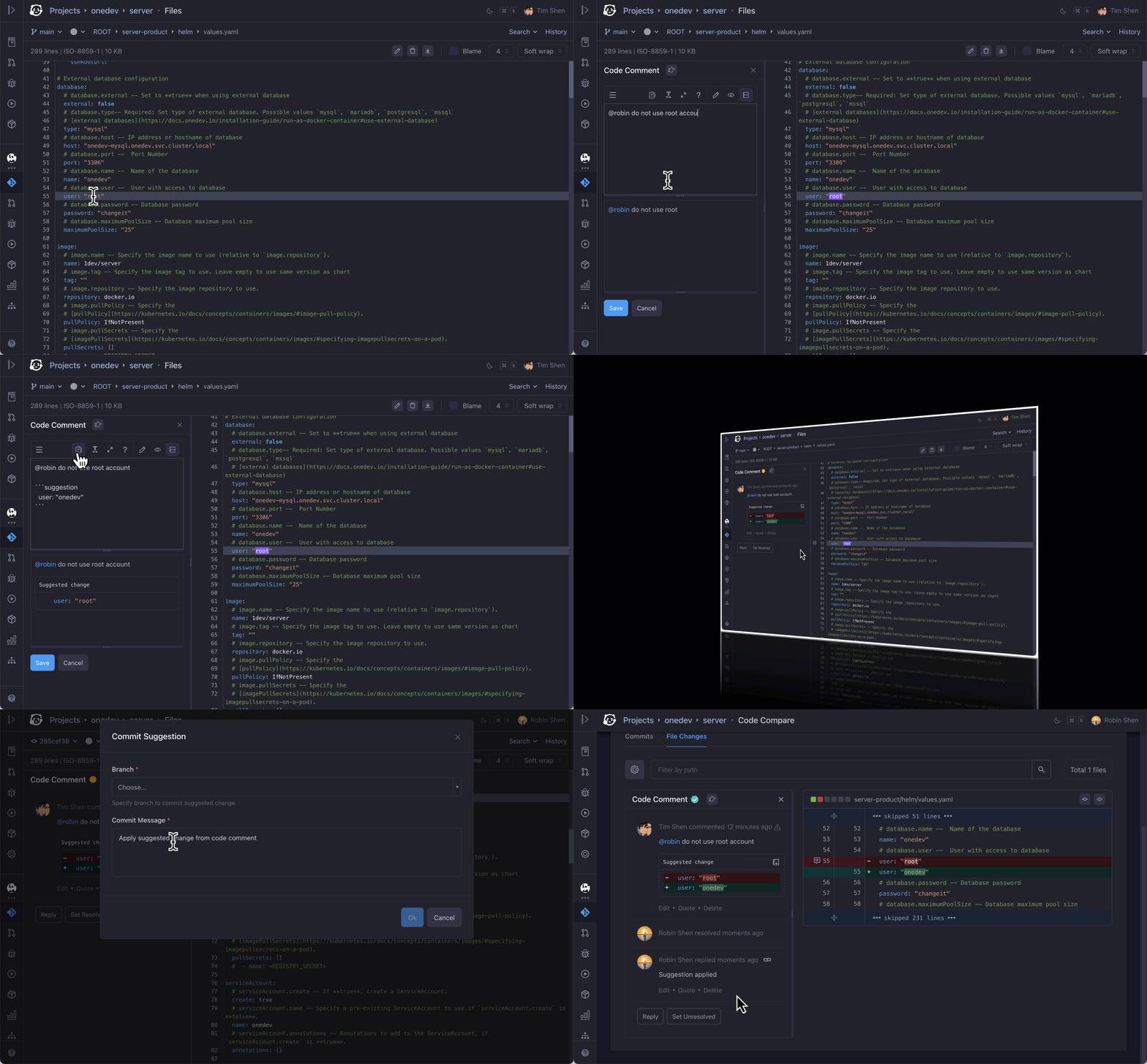
💬 Code discussion anywhere anytime
Select any code or diff to start discussion. Suggest and apply changes. Discussions stay with code to help code understanding.
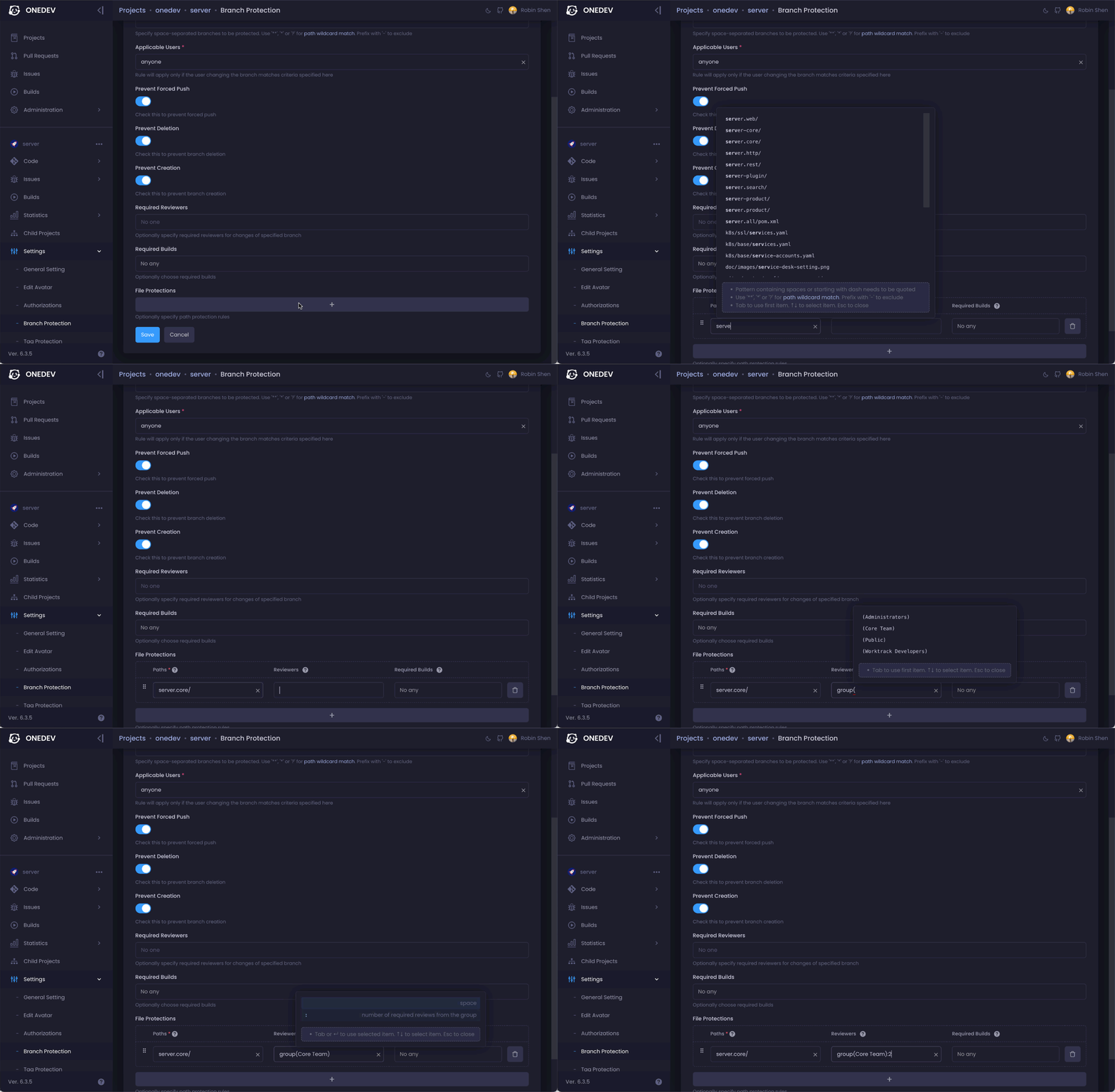
🔒 Versatile code protection rules
Set rule to require review or CI/CD verification when certain users touch certain files in certain branches.
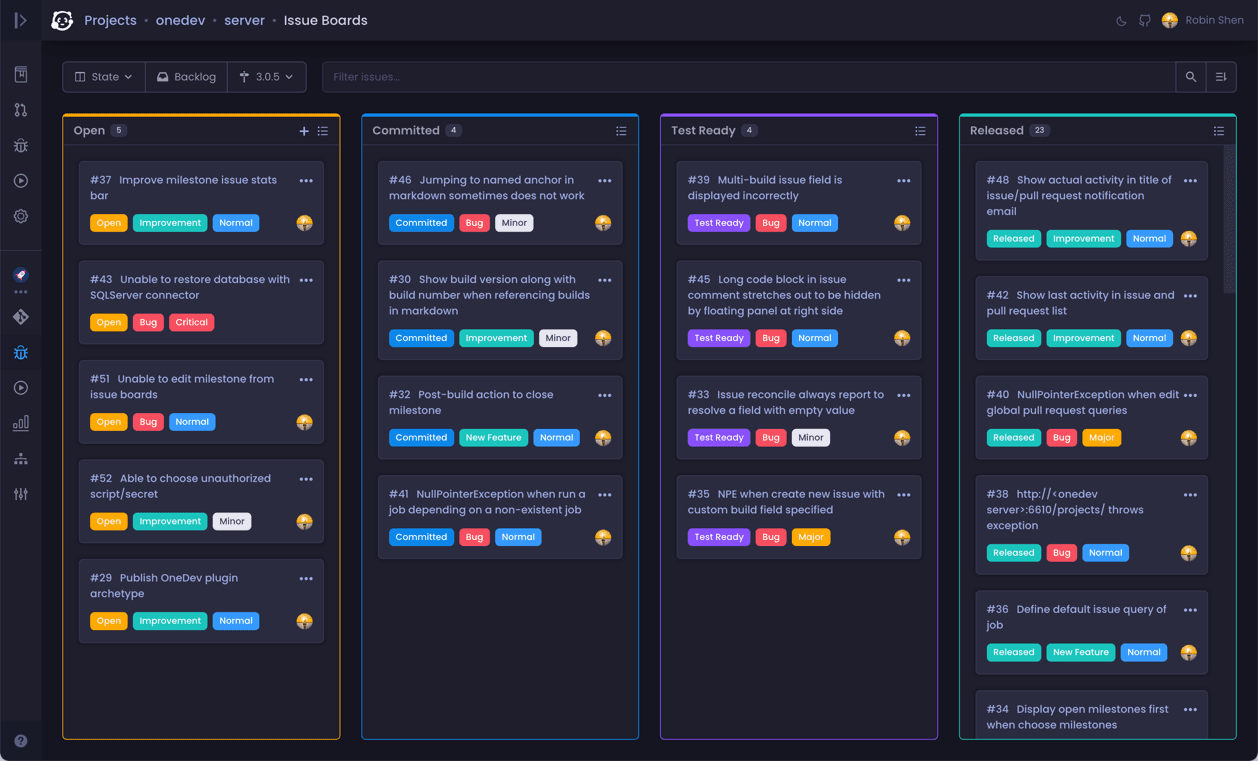
📋 Automated Kanban to keep team organized
Move tasks manually in Kanban, or define rules to move them automatically when related work is committed/tested/released/deployed.
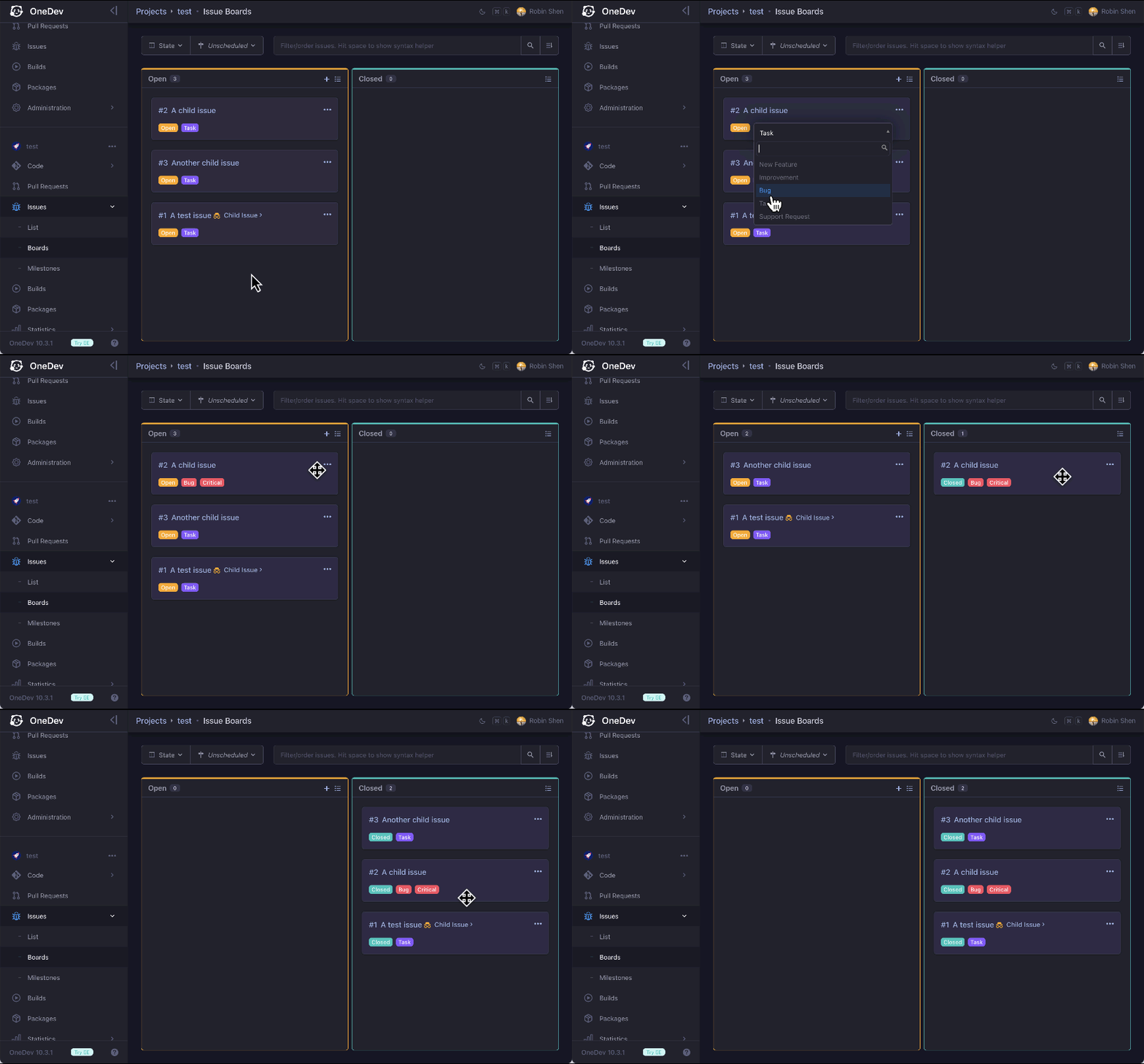
🛠 Customizable and flexible issue workflow
Custom issue states and fields. Manual or automatic state transition rules. Issue links to sync operations and states. Confidential issues in public projects.
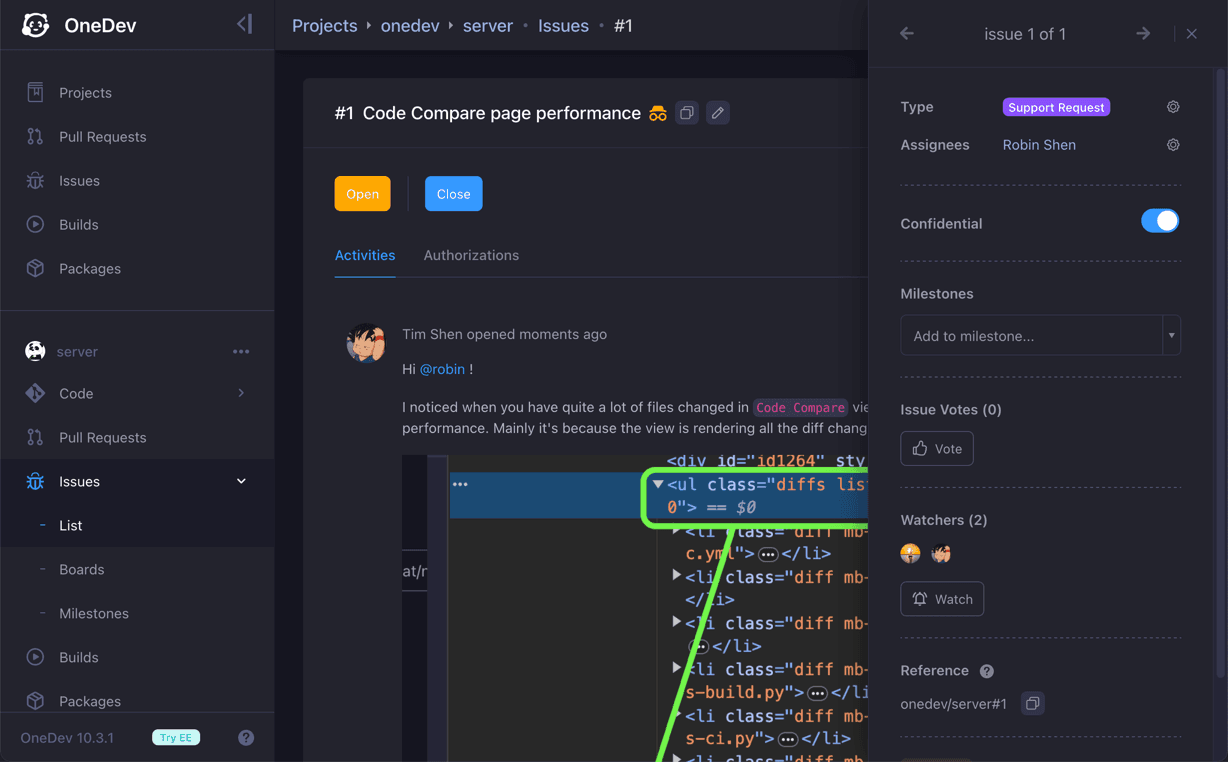
📨 Service desk to link emails with issues
Use issues as ticket system to support customers via email, without requiring them to register accounts. Assign different support contacts for different projects or customers.
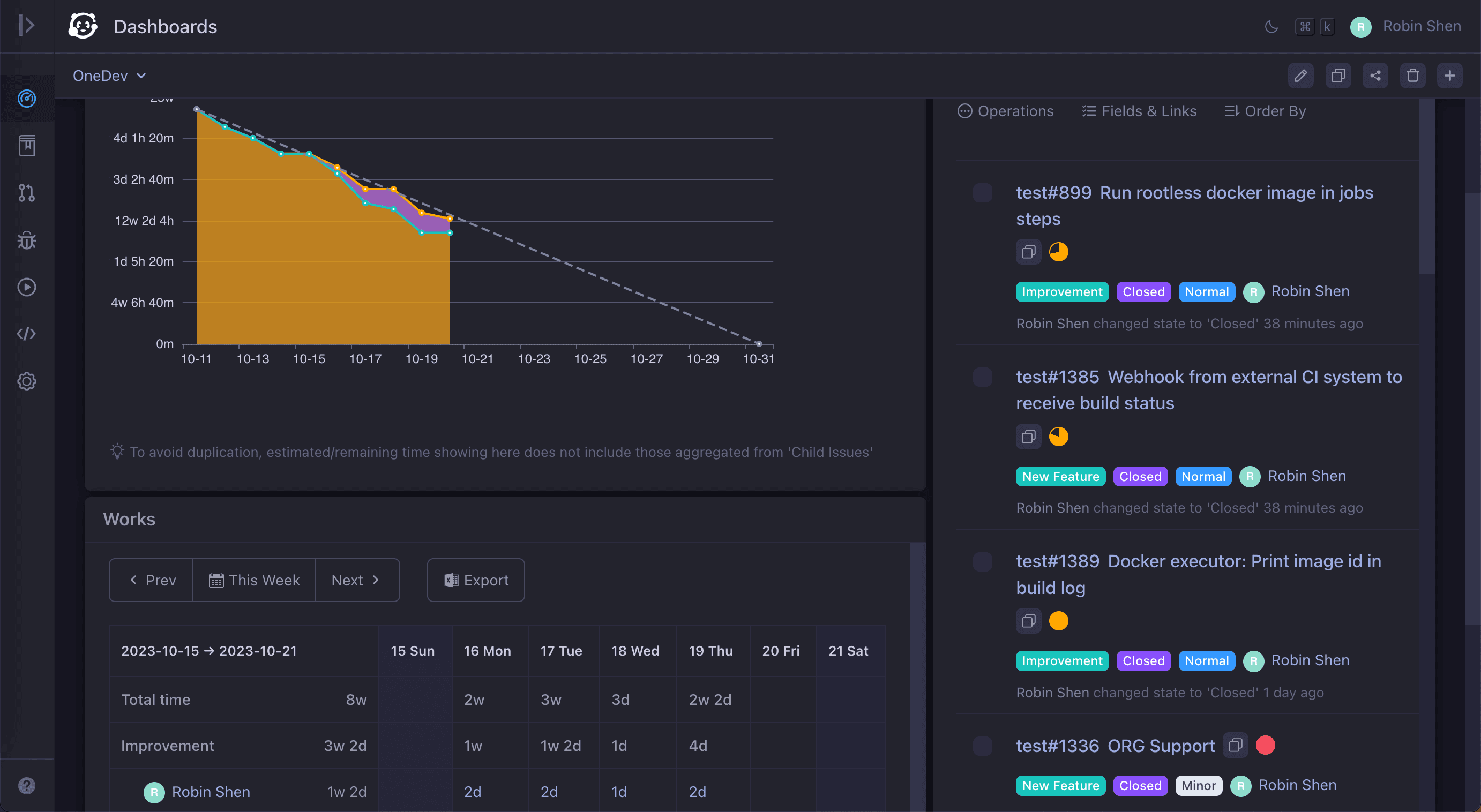
⏰ Time tracking and reporting
Track estimated/spent time on tasks. Aggregate time from subtasks automatically. Generate time sheets for work statistics and billing.
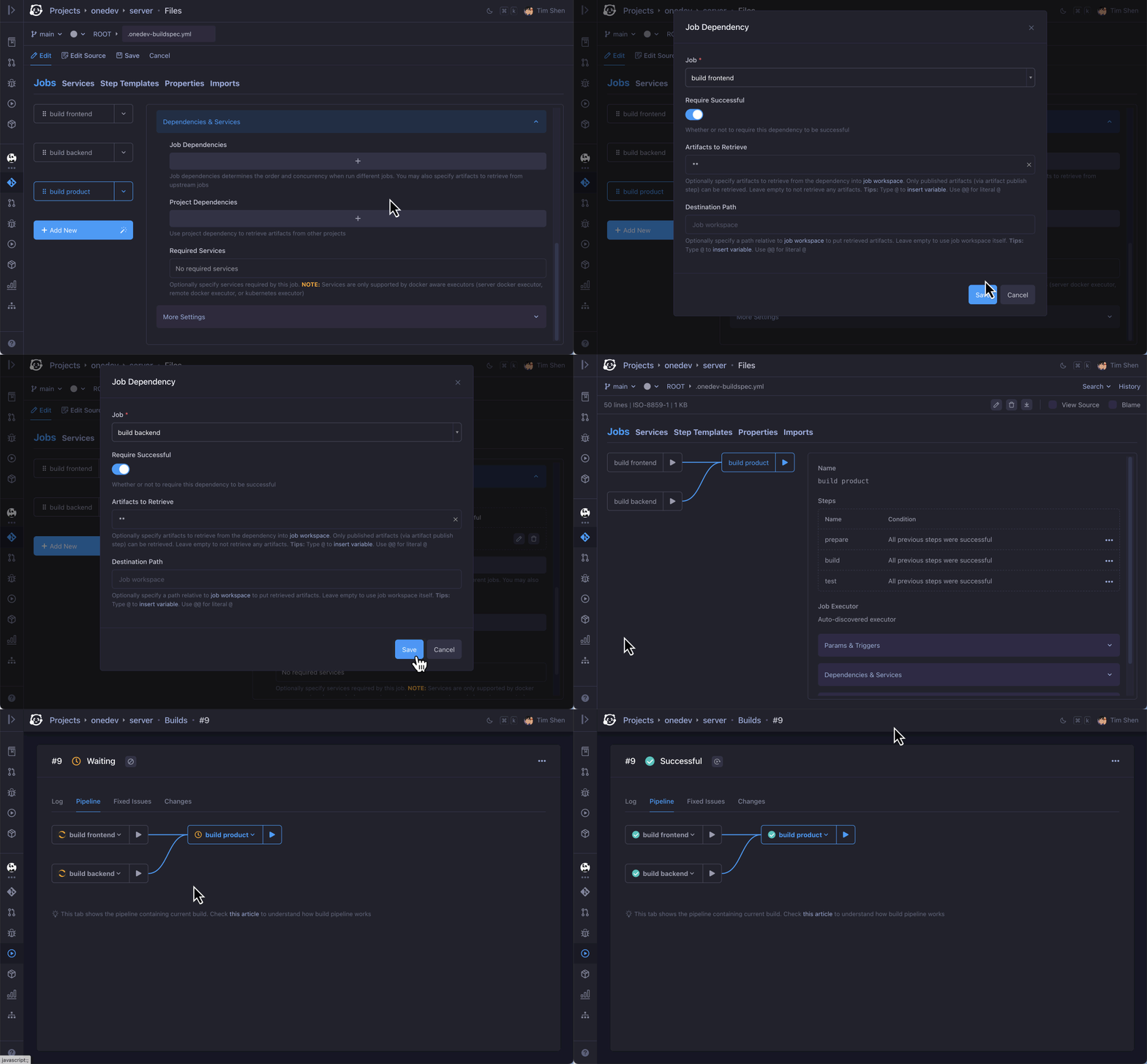
💡 CI/CD as code without writing code
An intuitive GUI to create CI/CD jobs. Template for typical frameworks. Typed parameters. Matrix jobs. CI/CD logic reuses. Cache management.
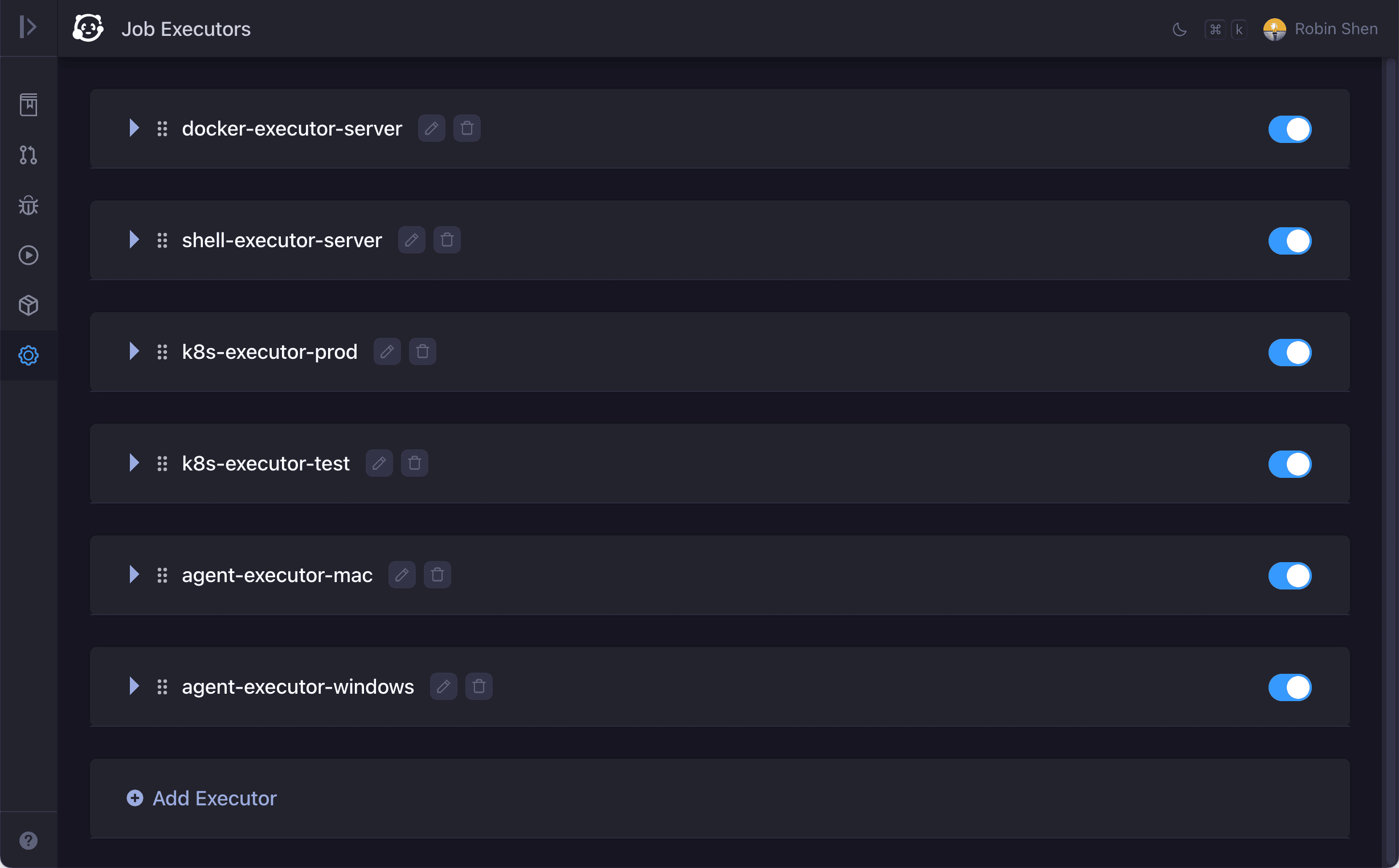
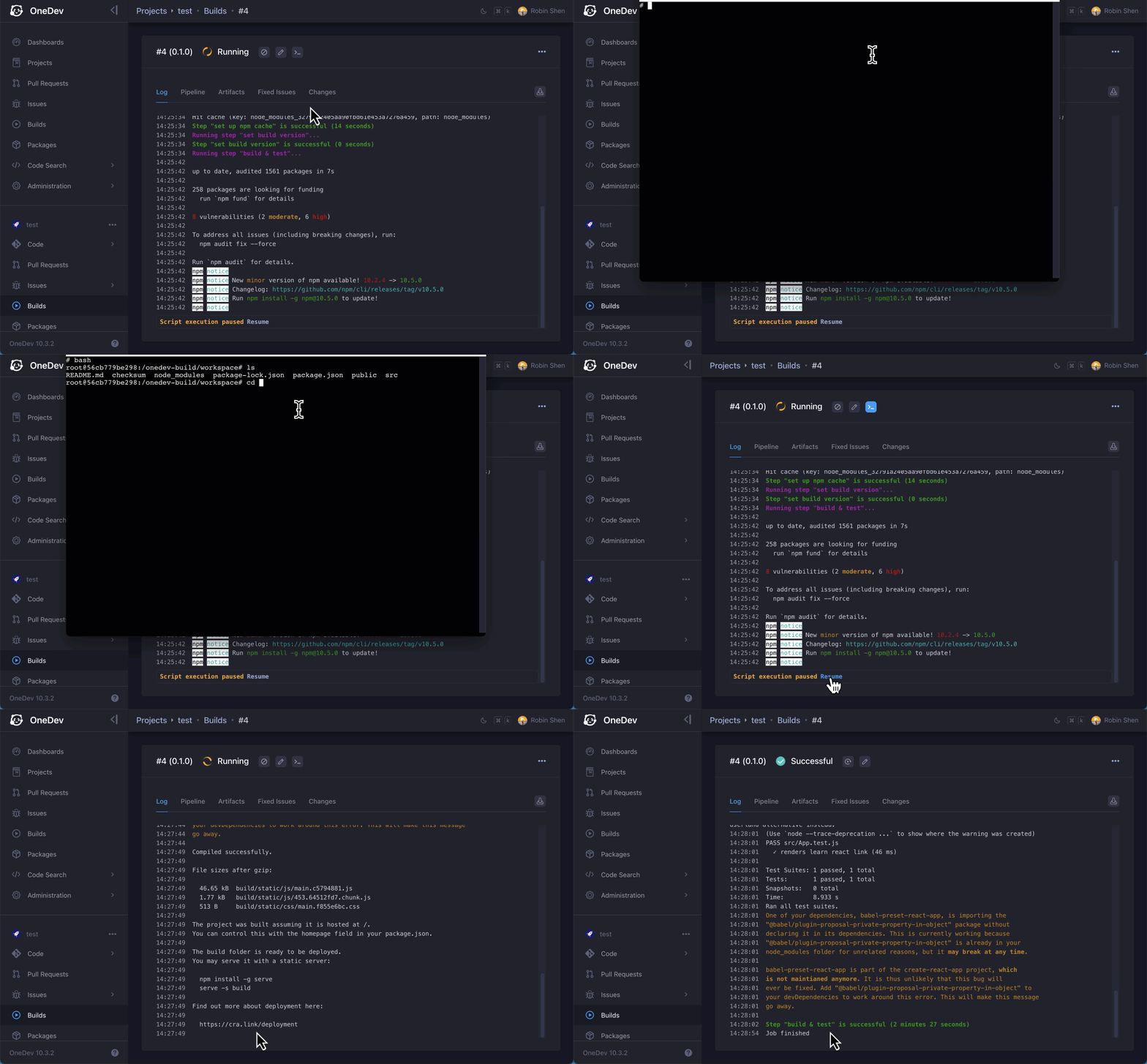
🛠 Tools to debug CI/CD jobs
Command to pause job execution. Web terminal to check job execution environment. Run job locally against uncommitted changes.
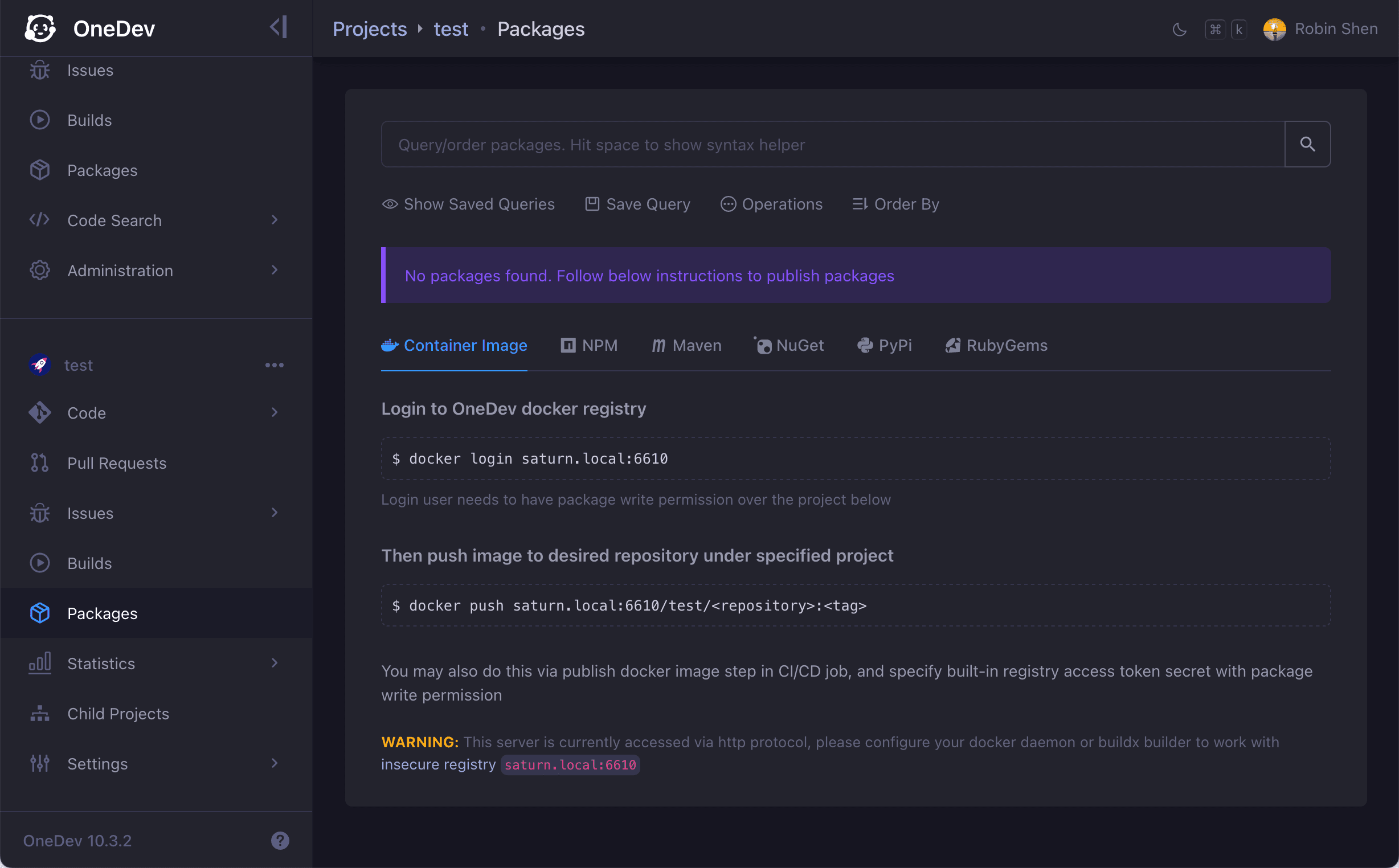
📦 Built-in package registries
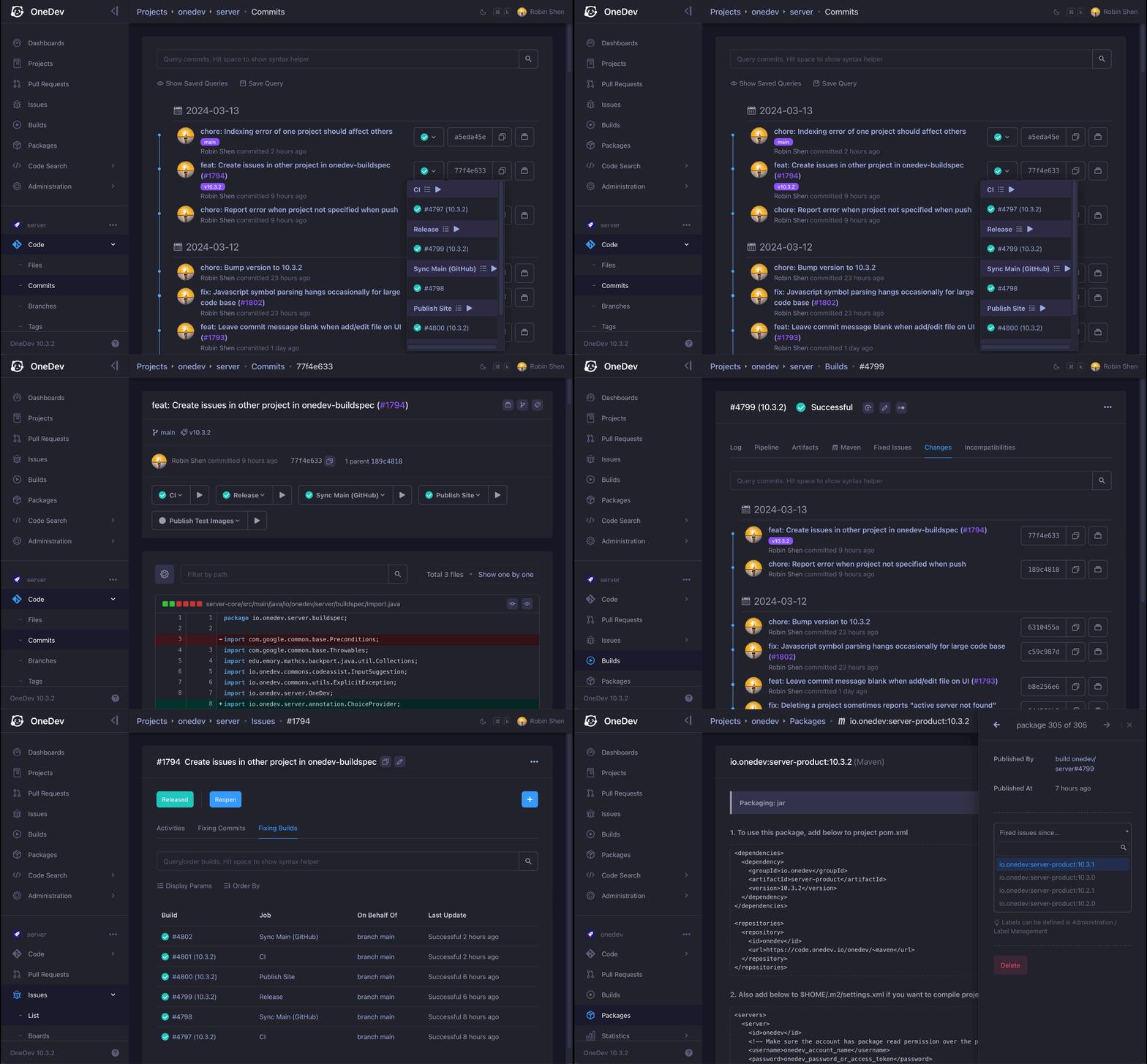
Built-in registry to manage binary packages. Link packages with CI/CD jobs.
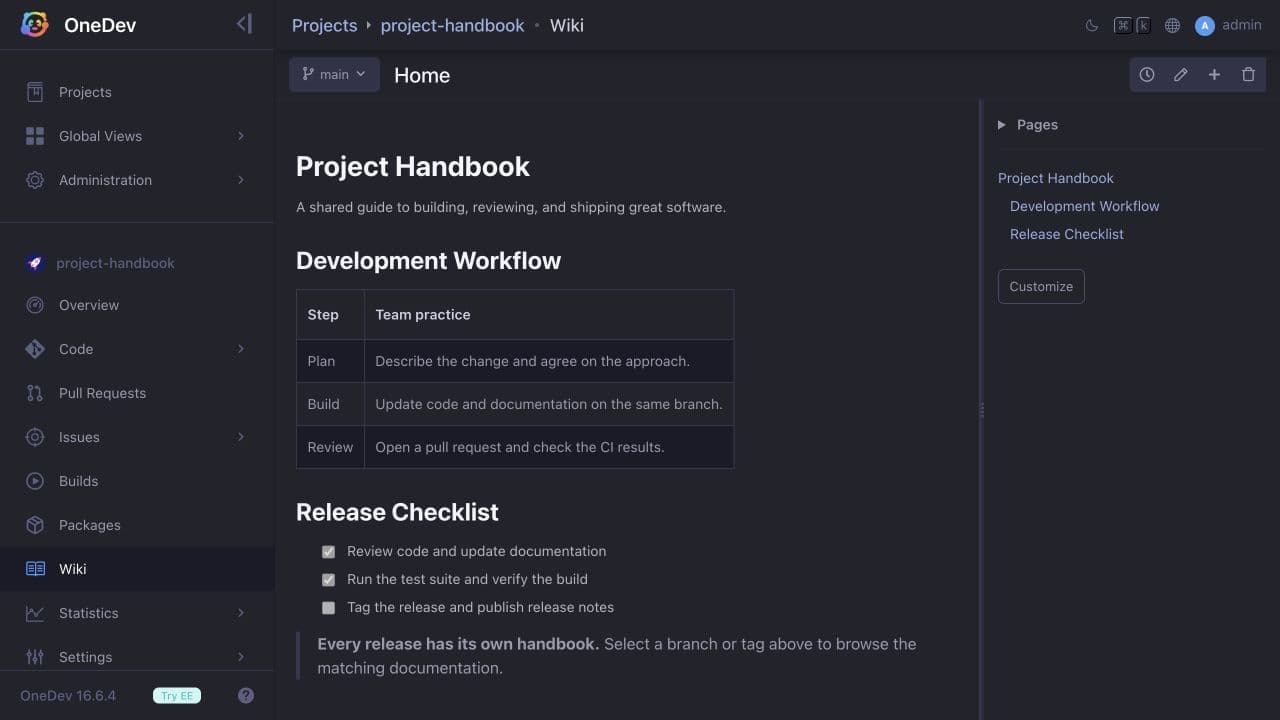
📖 Wiki for versioned project documentation
Keep Markdown documentation alongside your code. Edit pages in the browser or with Git, review changes in pull requests, and browse the wiki for any branch or release tag.
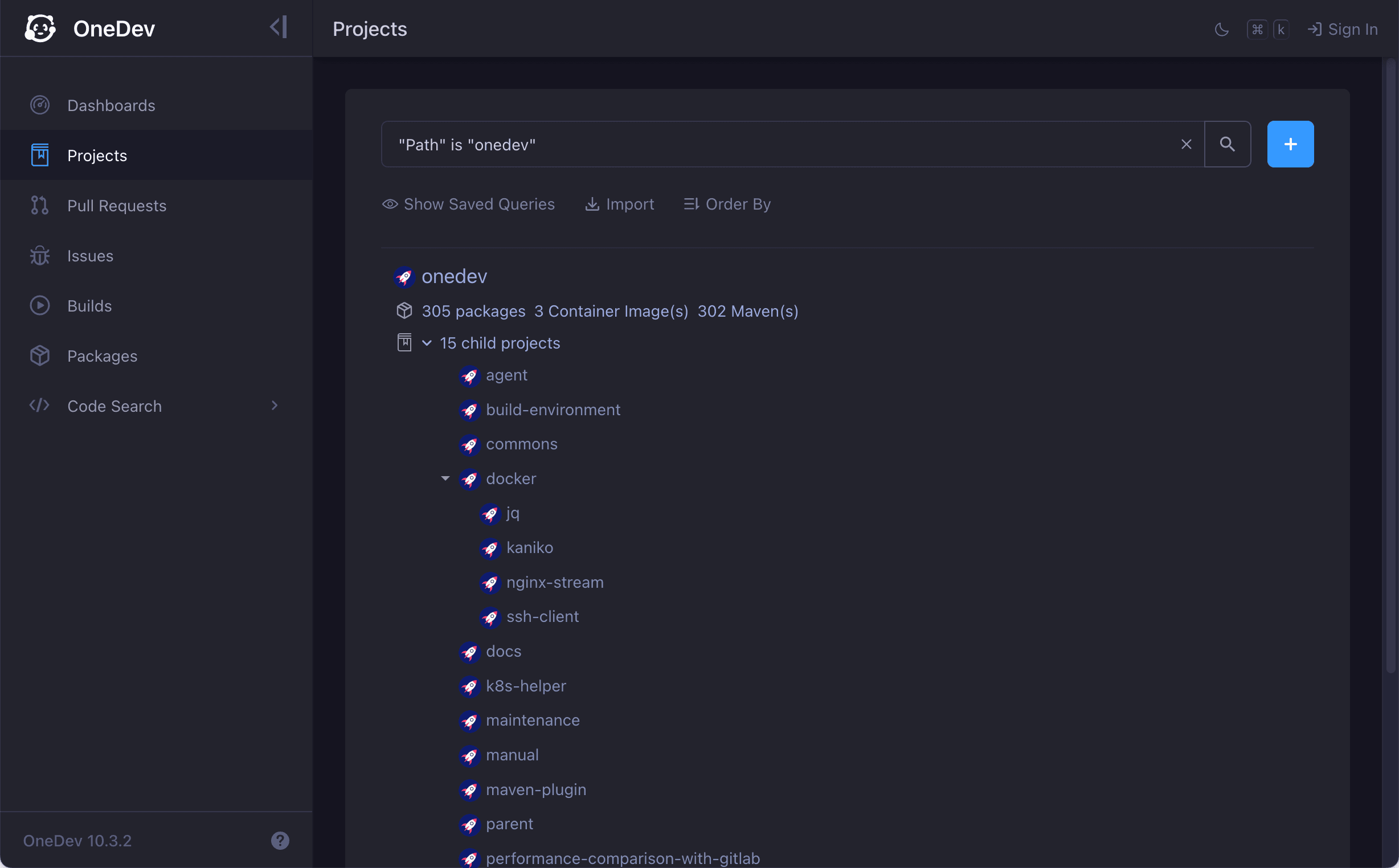
🌲 Project tree for easy maintenance
Use tree to organize projects clearly and efficiently. Define common settings in parent project and inherit in child projects.
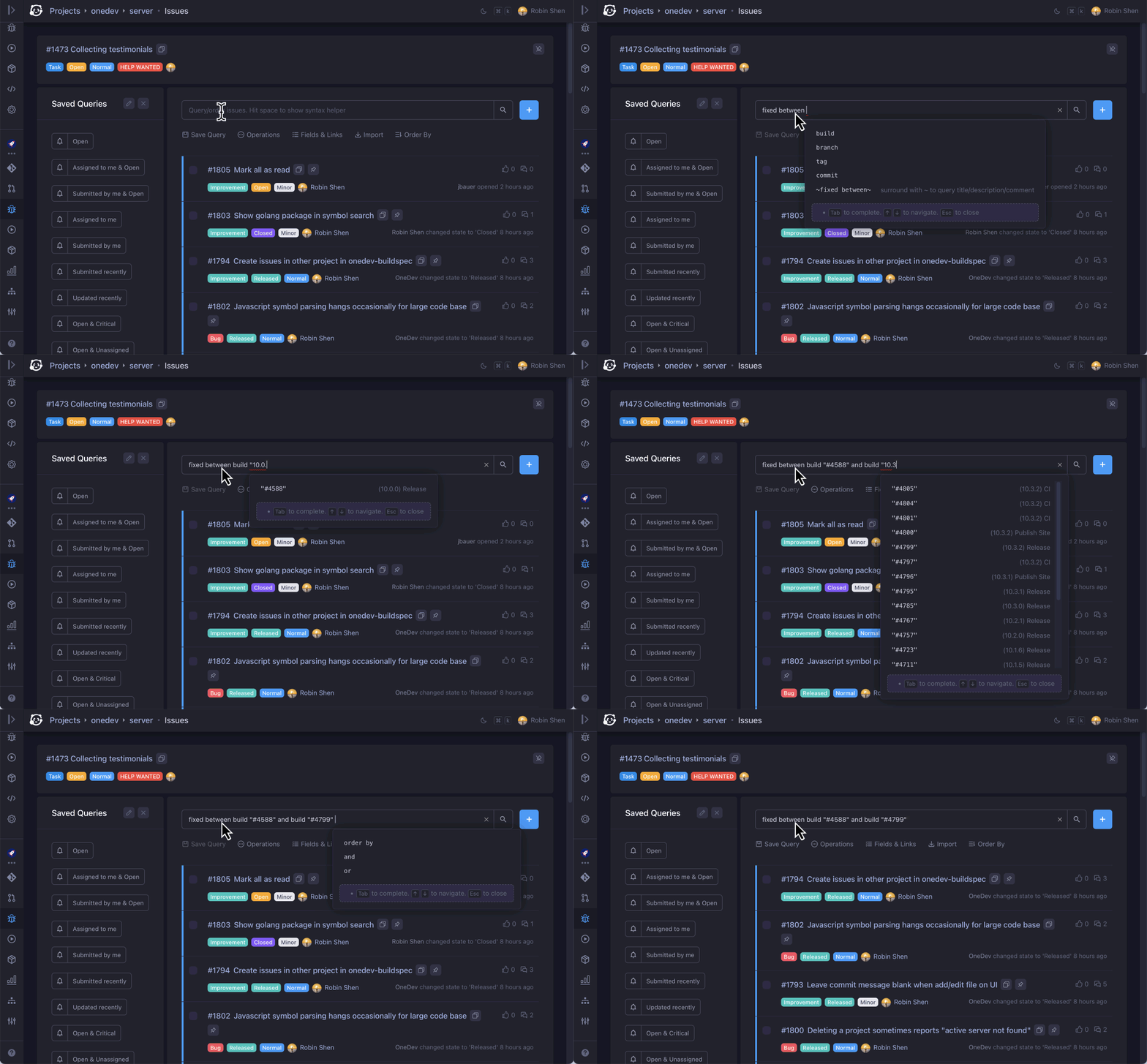
🐒 Smart query that can be saved and subscribed
Powerful and intuitive query for everything. Save query for quick access. Subscribe to query to get notified of interesting events.
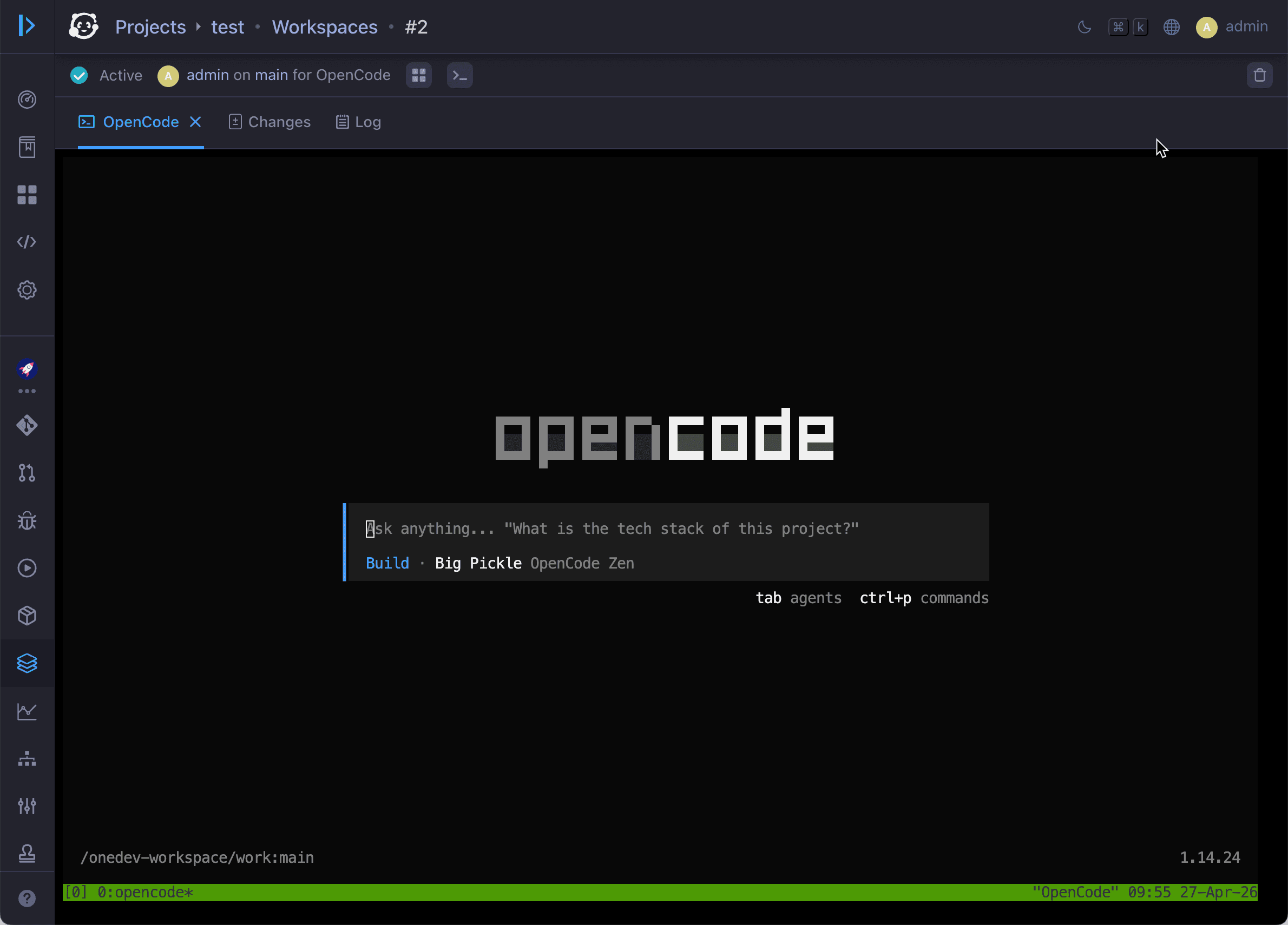
👨🏻💻 Workspaces for human and AI development
Work on any branch, issue, or pull request in preconfigured dev containers or sandboxes with VM isolation. AI users can run coding agents headlessly, while humans can develop interactively in the browser.
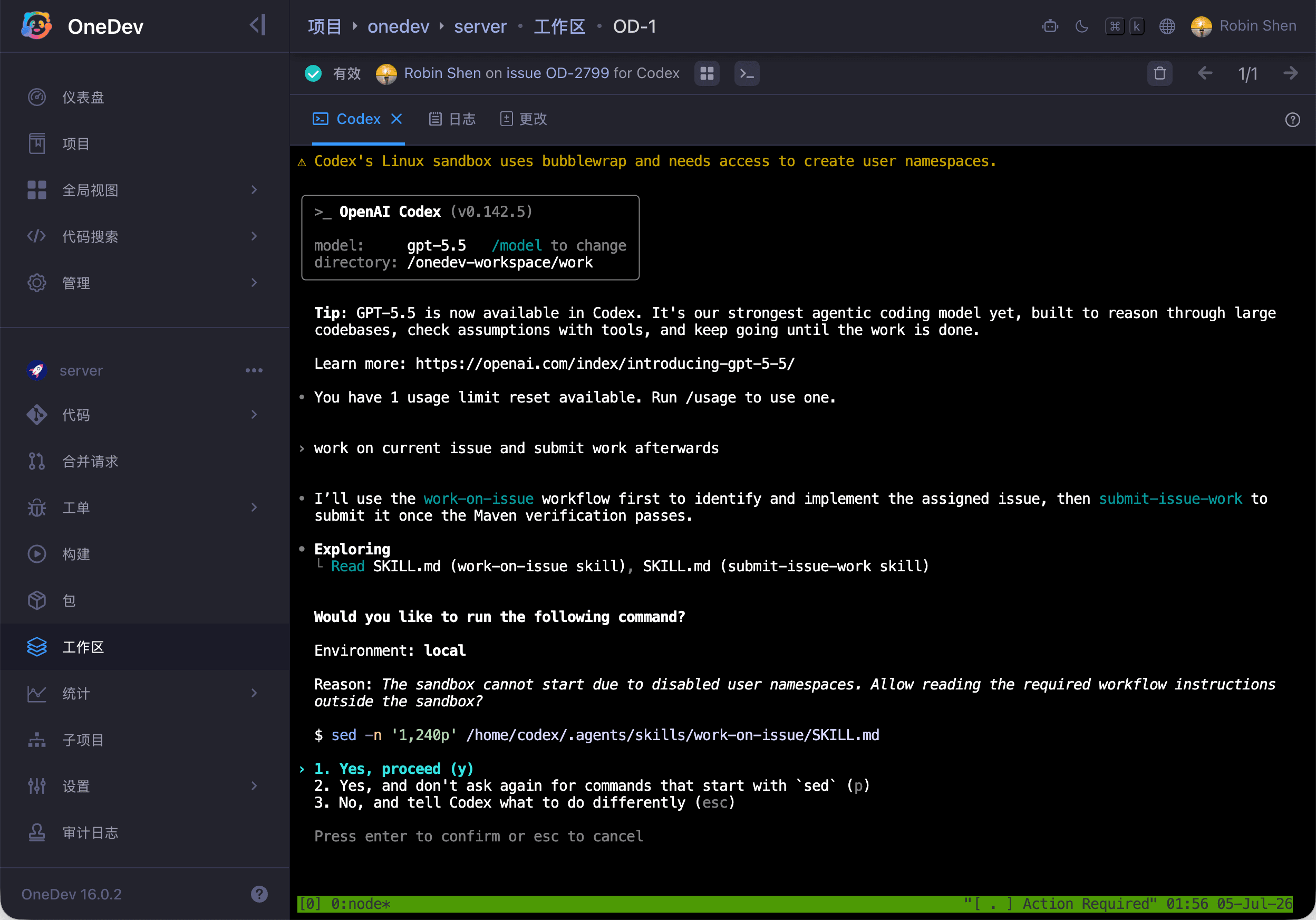
🤹 Skills and CLI to interact with OneDev in AI agents
TOD CLI to query and edit issues, pull requests, and builds, run CI/CD jobs against local changes, and check out pull requests locally. Shipped skills to drive OneDev workflows in coding agents.
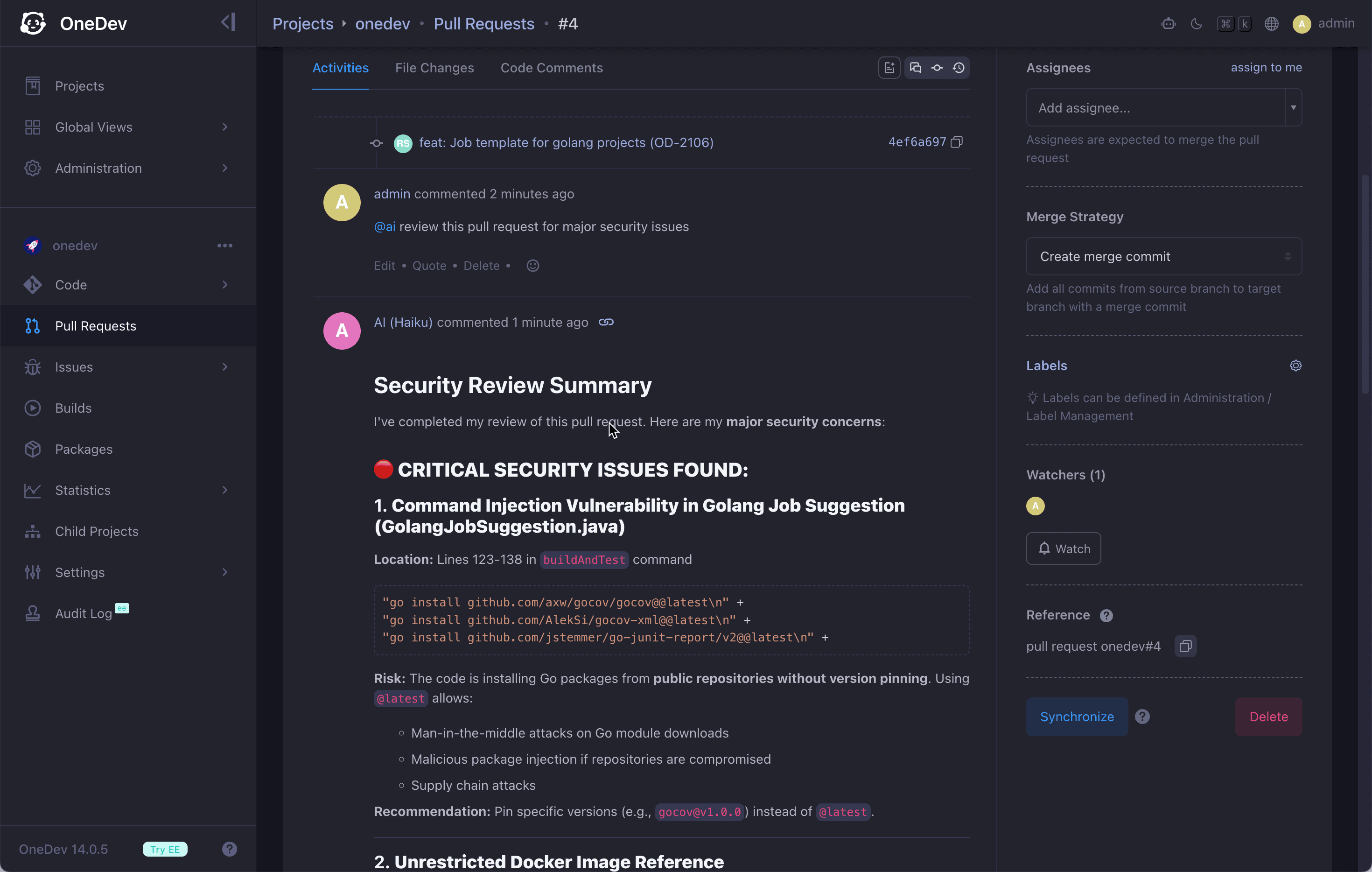
🤖 AI for DevOps intelligence
AI users work autonomously in your issue and pull request flow: implement assigned issues, review and improve pull requests, fix CI/CD failures, and resolve merge conflicts. They can also explain code, summarize long discussions, help write CI/CD specs, and answer project questions.
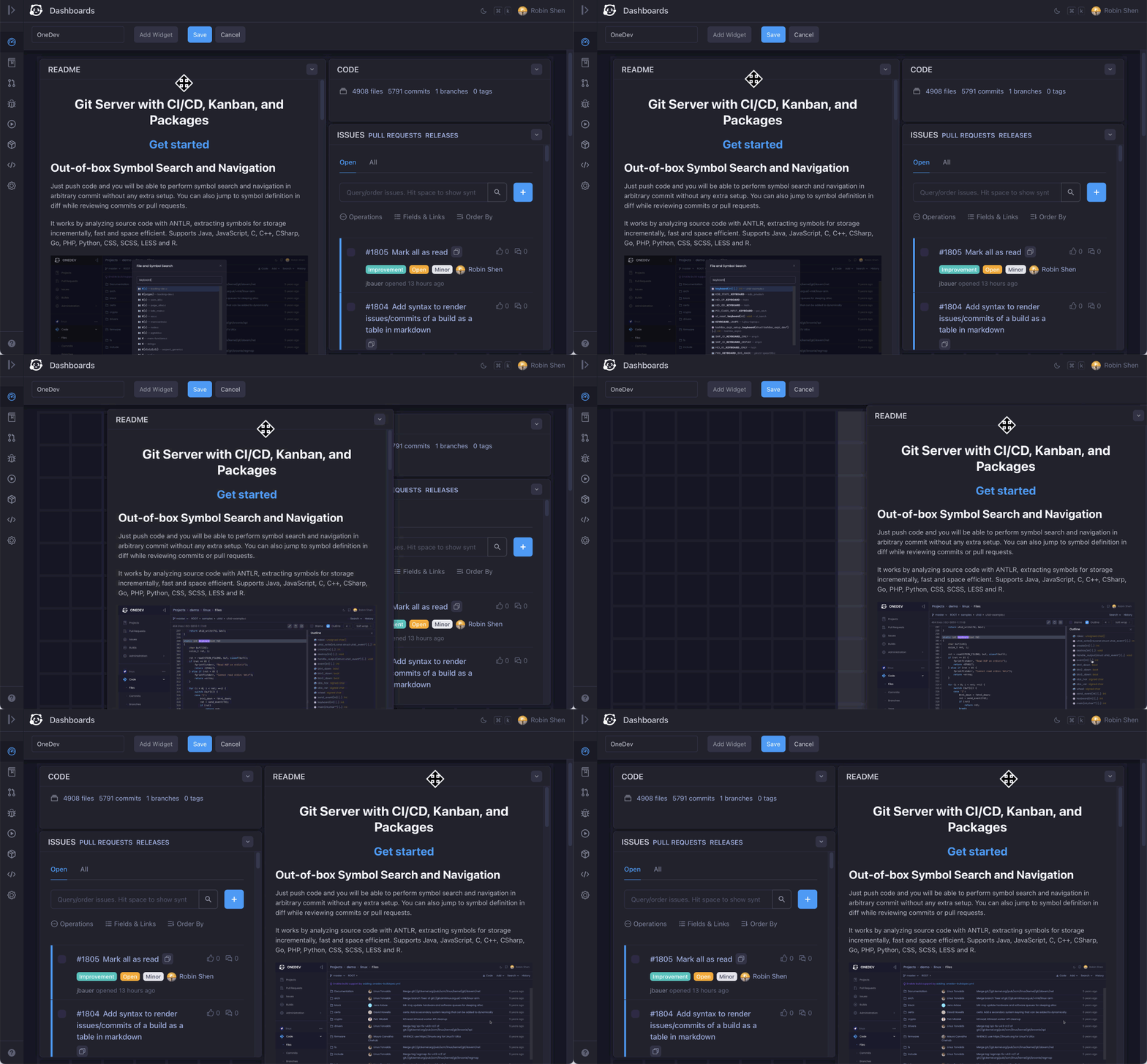
🎛️ Dashboard for teams and users
Arrange gadgets in custom dashboard to get important information at a glance. Share dashboard with users or groups, or make it public for everyone.
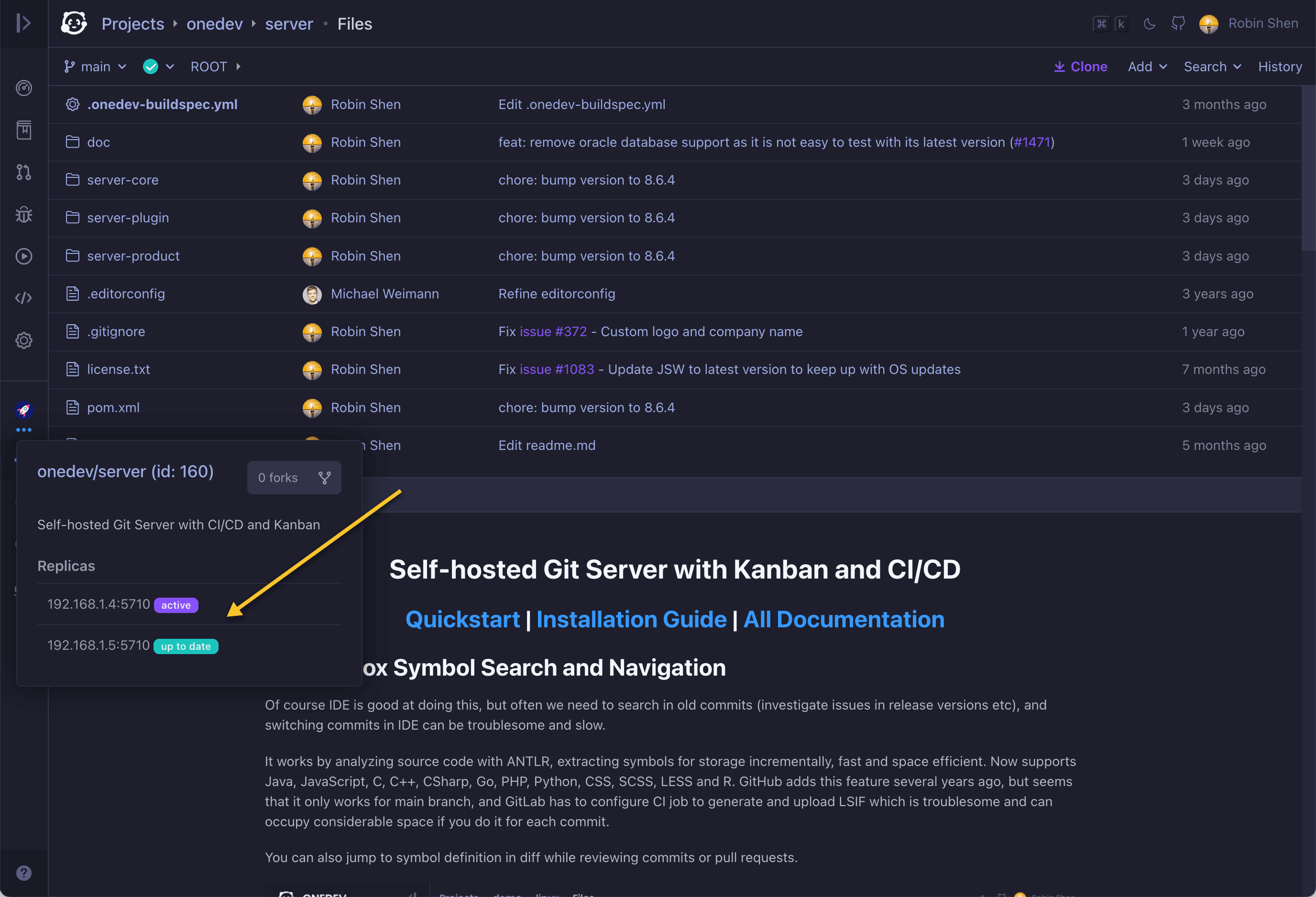
👯 Effortless high availability and scalability
Easy cluster setup. Replicate projects across different servers for high availability, or distribute projects for horizontal scalability.
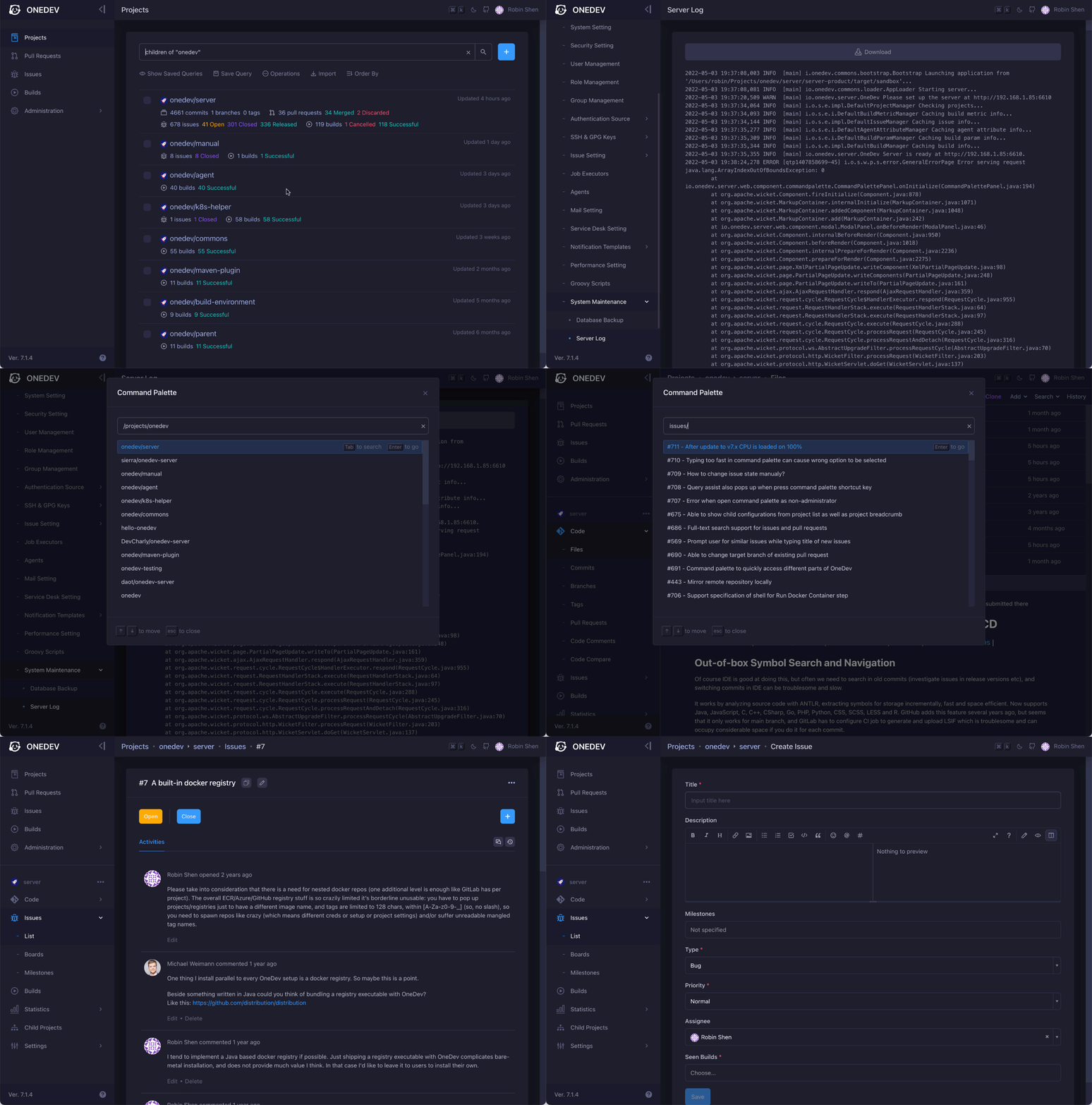
🛸 Command palette for quick access
Use cmd/ctrl-k to bring up command palette from anywhere. Search anything and jump to it without digging through menus.
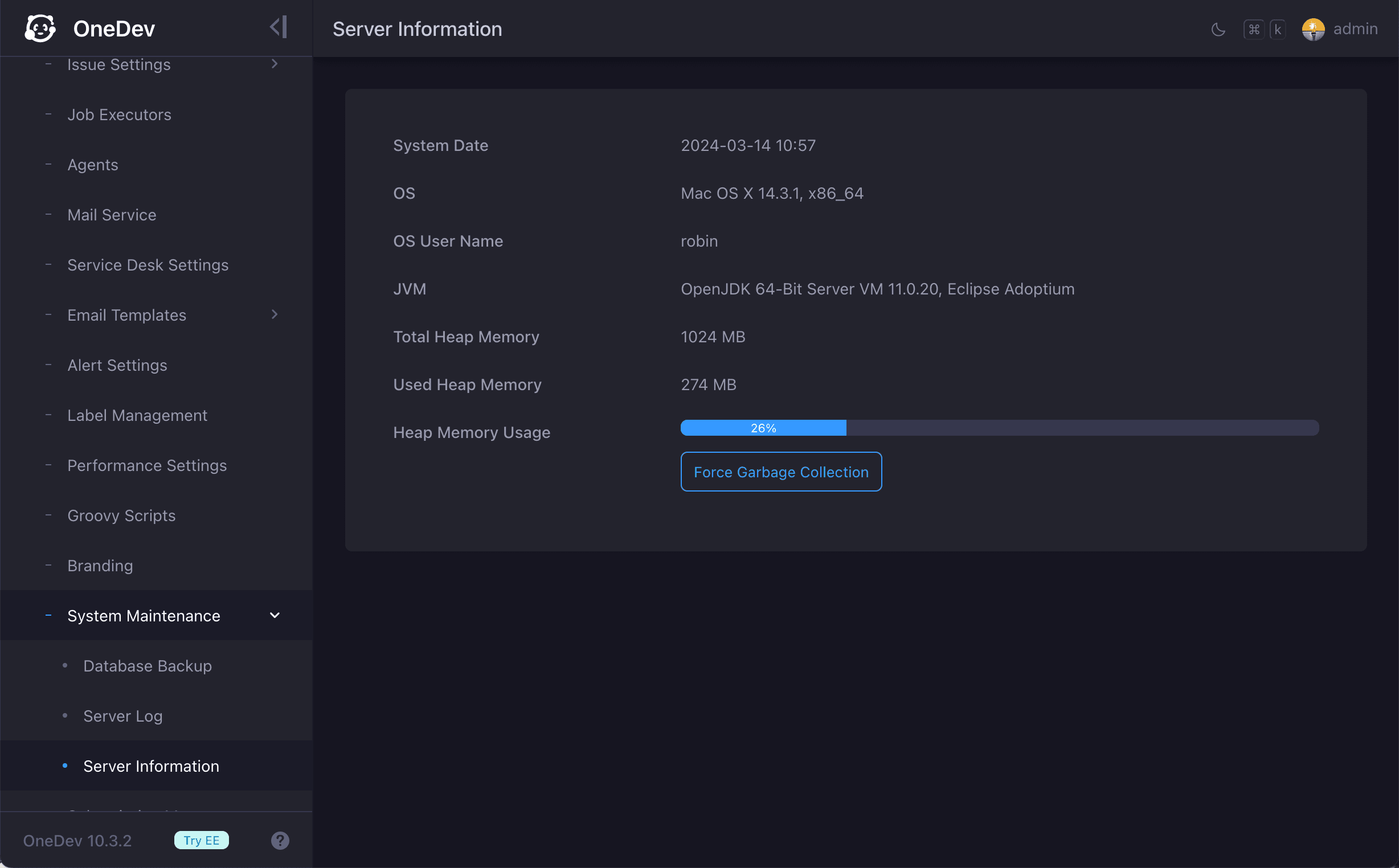
🕊️ Fast, lightweight, and reliable
Crafted with resource usage and performance in mind. Get all features above with a 1 core 2G mem box for medium-sized projects. Intensively used for more than 5 years, with battle-proven reliability.